Proactive messages
Short messages above the chat button when a shopper hesitates, and how to edit them.
Last updated · 24 Oct 2026Engaging shoppers
Proactive messages are short messages that appear above the chat button when a shopper seems to hesitate. They come with the Growth and Scale plans, including those plans' free trial, and they're on by default. On Starter, Settings shows the plans instead.
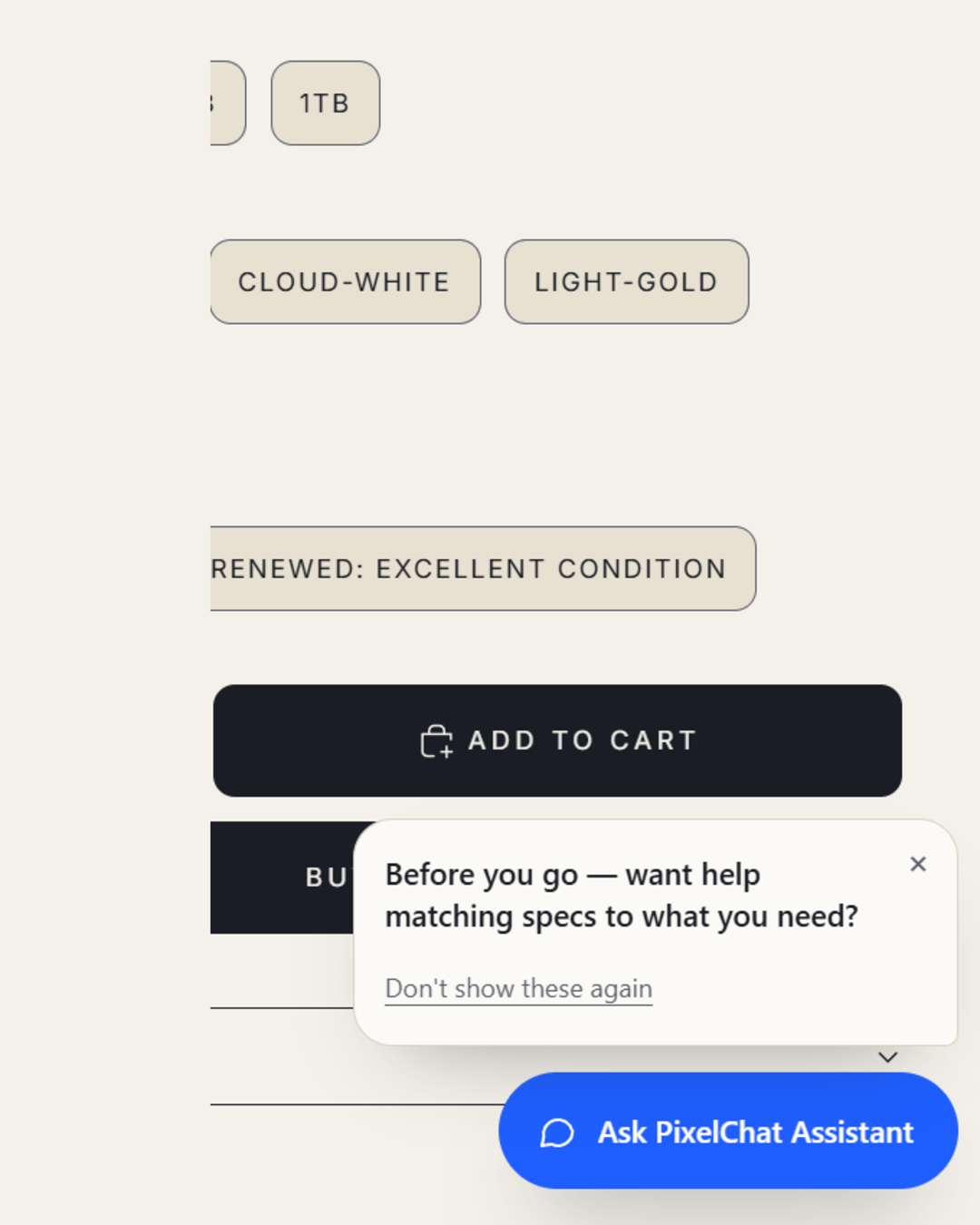 (opens the full-size image)
When they appear
| Message | When it shows |
|---|---|
| Idle | After 10 seconds without moving the mouse, scrolling, typing or touching the screen. Not on the cart page. |
| About to leave | When the cursor moves out through the top of the window. Desktop only, and not on the cart page. |
| After an add to cart | When an item is added to the cart and the shopper stays on the page. The cart is checked every 30 seconds. |
- At most once per browser tab for each message, one at a time.
- Never while the chat is open.
- Only with the shopper's consent. They show only when the shopper's cookie choices allow marketing, as Shopify's customer privacy settings report them. On a store without a cookie banner, Shopify allows it by default, except in regions you've set to require consent. If your theme doesn't load Shopify's privacy tools, proactive messages never show.
What shoppers can do
- × closes a message.
- Don't show these again stops them in that browser, on later visits too.
- Tapping the message opens the chat with it as the assistant's first reply, so the assistant knows what a reply like "yes" answers. It answers from your store's real information. It won't promise an offer or confirm a claim your store hasn't published, even if the message says it.
Editing them
Go to Settings → Proactive messages. Use Offer help when a shopper hesitates to switch them on or off, and edit the three messages below it. A live preview beside the fields shows each one as shoppers will see it.
- Plain text only, up to 120 characters. Links and HTML aren't allowed: you'll see Use plain text: no links or HTML.
- Leave a message empty to use your industry's default. A default follows your industry if you change it in Settings.
- Reset to default brings back the default for a message you've edited.
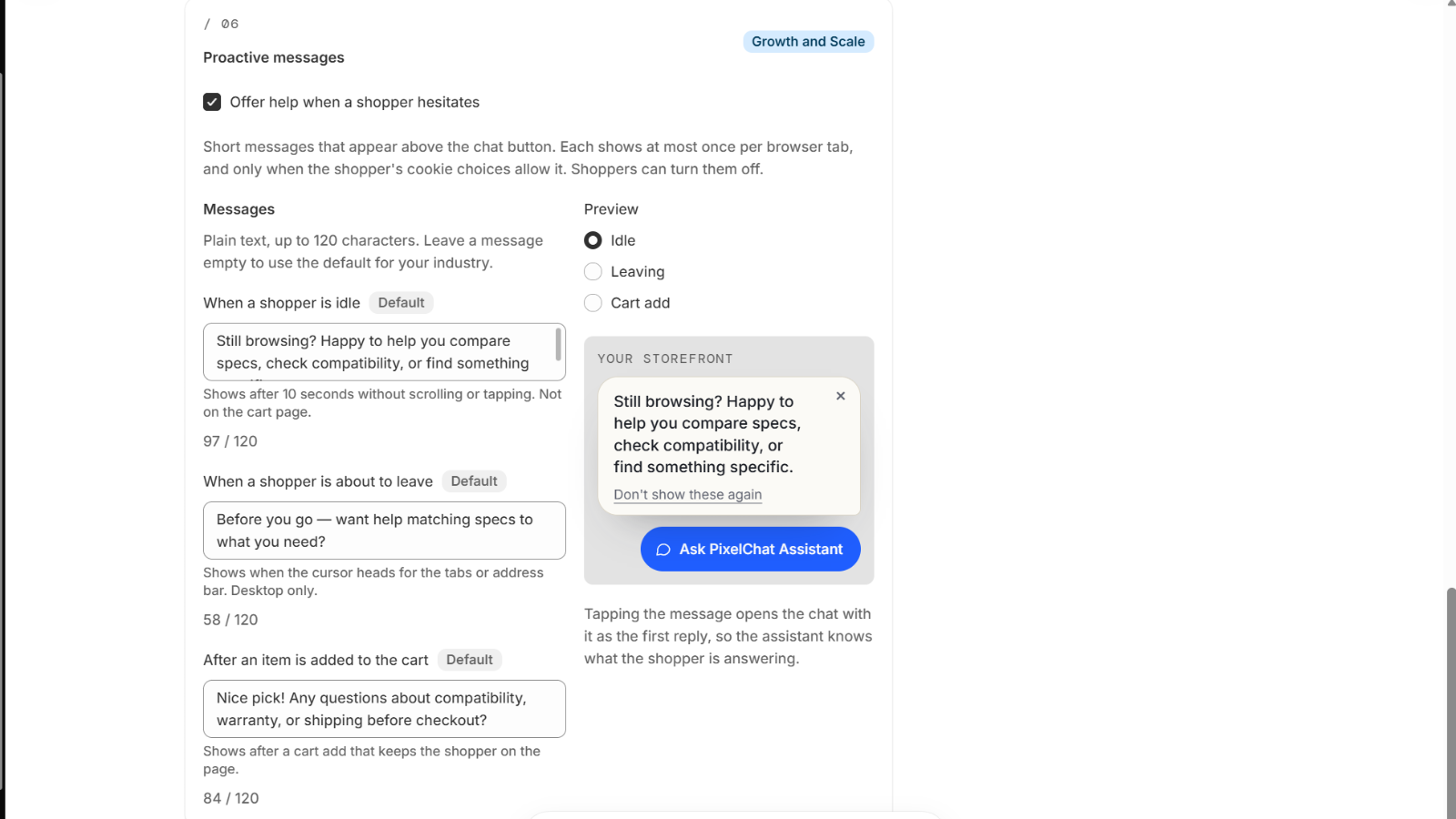 (opens the full-size image)
The defaults
Each industry has its own three messages, used until you edit them.
| Industry | Idle | About to leave | After an add to cart |
|---|---|---|---|
| Electronics | Still browsing? Happy to help you compare specs, check compatibility, or find something specific. | Before you go — want help matching specs to what you need? | Nice pick! Any questions about compatibility, warranty, or shipping before checkout? |
| Fashion | Take your time browsing! Happy to help with styling, sizing, or finding something specific. | Before you go — can I help you find a similar style? | Great choice! Any questions about sizing, materials, or shipping before you check out? |
| Health & supplements | Still browsing? Happy to help you find product information or answer any questions. | Before you go — can I help you find product details or ingredient information? | Any questions about ingredients, servings, or shipping before checkout? |
| Toys & games | Still browsing? Happy to help you narrow it down by interest, age range, or skill level. | Before you go — want a hand finding the right one? | Perfect! Any questions about age recommendations, what's included, or shipping before checkout? |
| Beauty & personal care | Take your time exploring! I can help you find the right product or answer questions about any of them. | Before you go — need help finding the right product? | Lovely choice! Any questions about ingredients, how to use it, or shipping before checkout? |
| Sports & outdoors | Still browsing? Happy to help with sizing, specs, or finding the right gear for your activity. | Before you go — want help finding the right size or gear? | Good pick! Any questions about sizing, specs, or shipping before checkout? |
| Other / general | Still browsing? I'm here if you'd like a hand finding something. | Before you go — anything I can help you find? | Nice choice! Any questions before checkout? |
In PixelChat
- Conversations labels the message a chat started from: Automatic message: the shopper tapped it to open the chat.
- The setup guide on the home page shows Proactive messages are on, or Turn on proactive messages when they're off.
Billing
A message that's shown costs nothing. A chat opened from one counts like any other chat, once the shopper sends a message. See How conversations are counted.
If you move to Starter, your edited messages are kept, but they don't show until your store is back on Growth or Scale.