Looking up an order
How shoppers check their order status in the chat.
Last updated · 5 Oct 2026Shopping features
Any shopper can check an order — no account needed. The assistant asks for:
- the order number, and
- the email address used for the order.
It then replies with the order's status and, when Shopify has one, the tracking link.
If the shopper is signed in to their customer account on your store, or gave their email earlier in the chat, the assistant asks only for the order number and uses that email. If no order matches, it asks whether they used a different email.
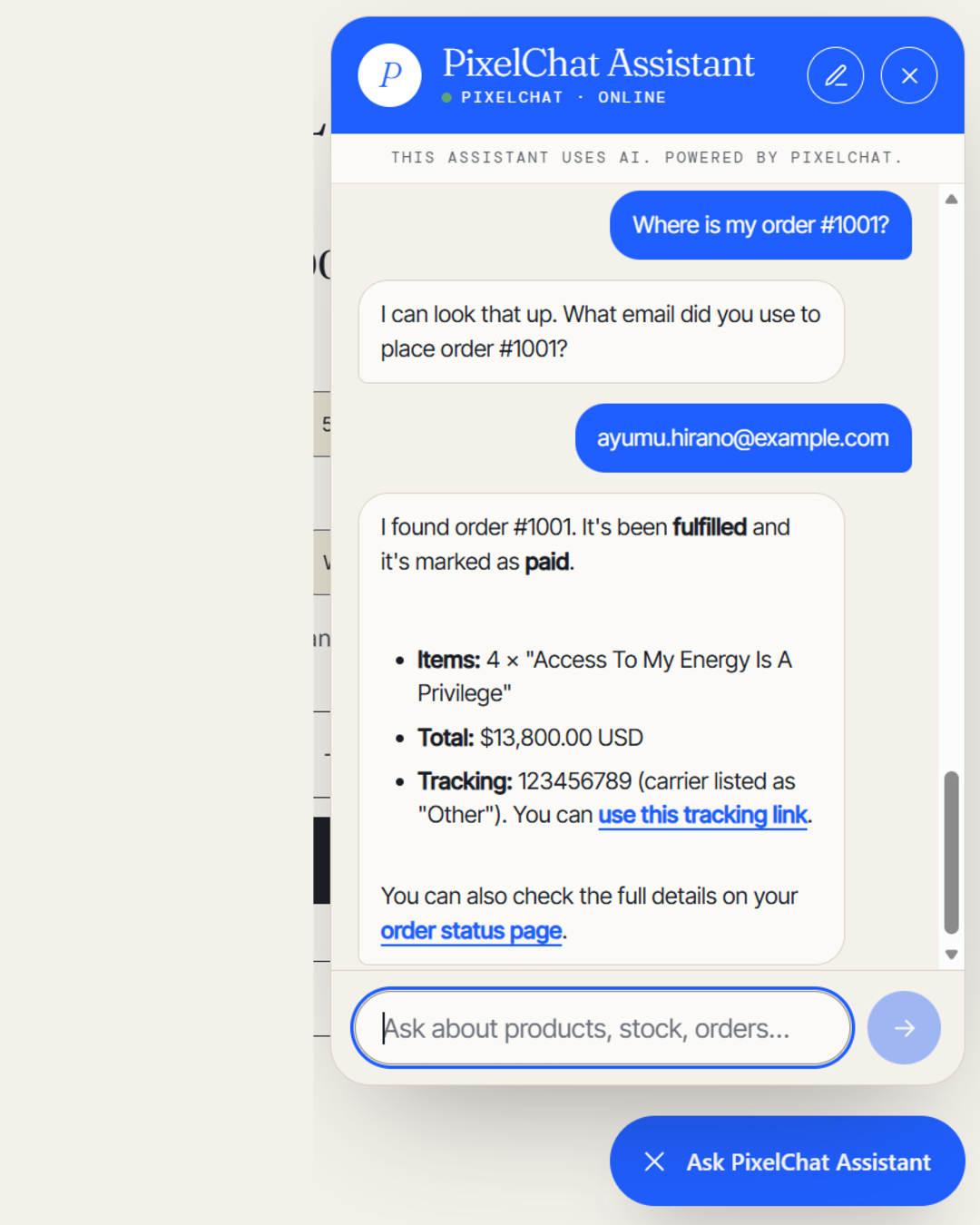 (opens the full-size image)
Good to know
- Recent orders. Lookups cover orders from roughly the last 60 days.
- Both details are needed. The order number and email must match the same order. This keeps one shopper from seeing another's order.
- No delivery dates. The assistant shares the status and tracking link; it doesn't predict when a parcel will arrive.