When a shopper needs your team
What happens when the assistant can't help, and how shoppers reach you.
Last updated · 24 Oct 2026Conversations & handoff
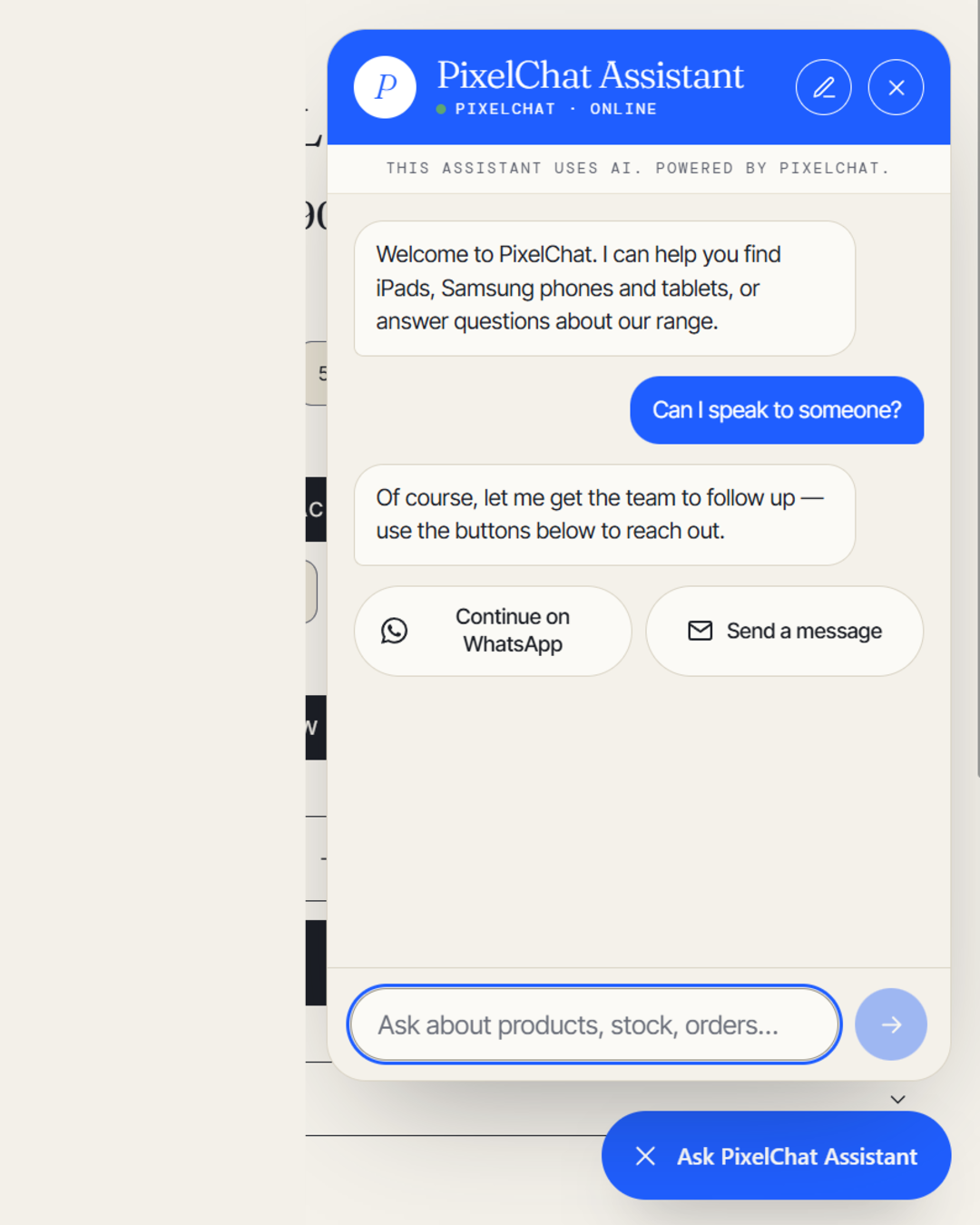
When a question needs a person — changing an order, a complaint, anything your store hasn't told the assistant — it says so and offers the shopper a way to reach you.
The handoff buttons
The shopper sees up to two buttons, depending on what you set up:
- Continue on WhatsApp — opens WhatsApp with your number. The shopper starts a new message; the chat history doesn't carry over.
- Send a message — the shopper fills in a short form with their name, contact details and message.
Once a message is sent, the chat shows Message sent — the team will get back to you. It still shows this after the shopper reloads the page. If the same message is sent again within 30 days, it isn't delivered twice.
 (opens the full-size image)
Where messages arrive
Messages sent with the form:
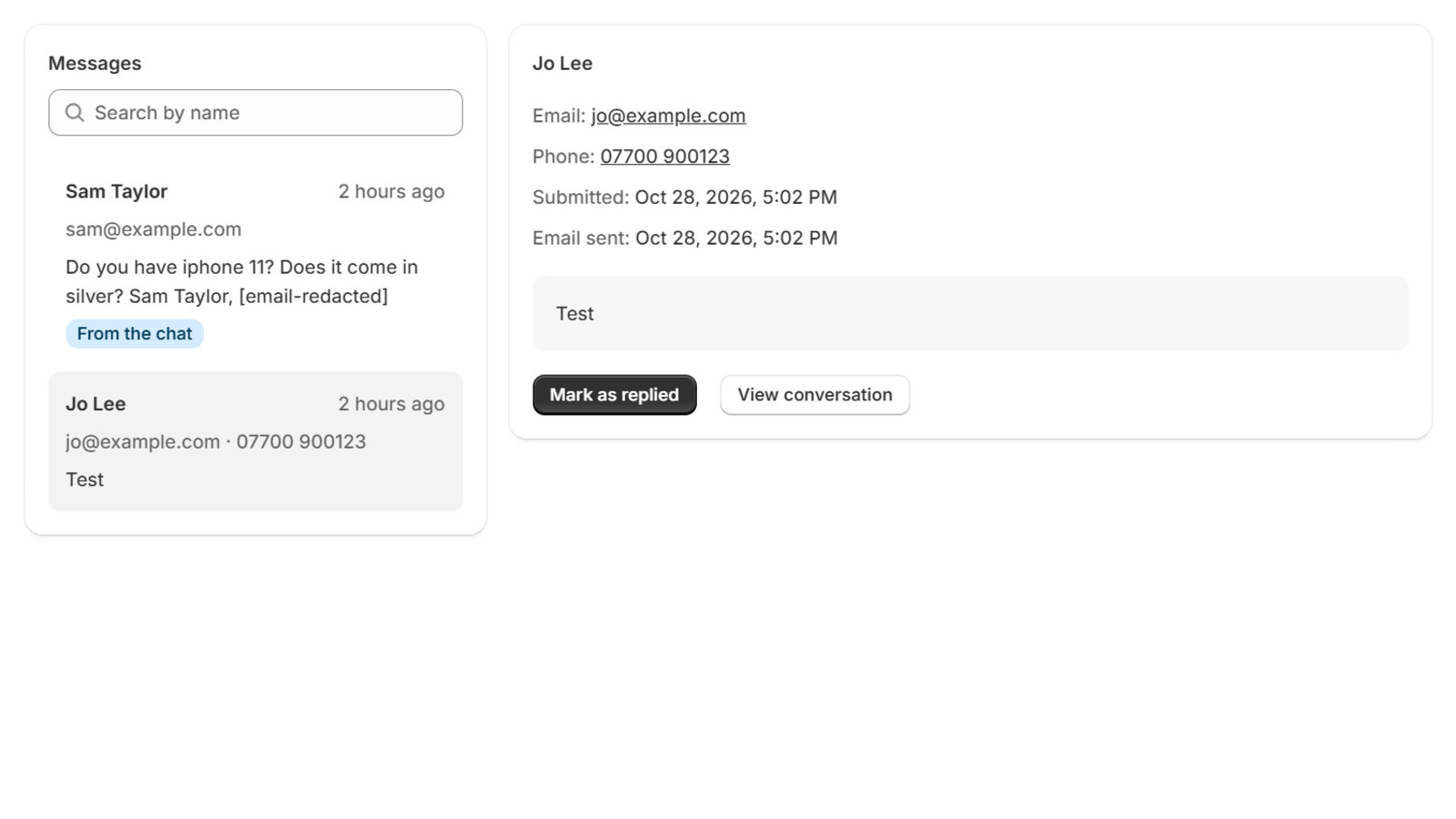
- are emailed to you, with the shopper's name, contact details and message — reply to the email to answer them;
- also appear in Messages in PixelChat, with a View conversation link to the full chat.
Nothing reaches you unless the shopper sends it, with the form or by leaving their details for a follow-up. The assistant doesn't alert you on its own.
 (opens the full-size image)
If an email doesn't arrive
The message still appears in Messages, marked as not sent. Messages whose email wasn't delivered are kept for 90 days so you don't miss them; others for 30 days.
When the assistant offers a follow-up
Once a shopper has asked about a product, the assistant may offer to take their name and an email address or phone number, so your team can follow up. What they leave arrives in Messages and by email as a follow-up request. See Follow-up requests left in the chat.
Setting up your channels
Add or change your WhatsApp number and contact form email in Settings, under How shoppers reach your team. Keep at least one set up, so the assistant always has a way to hand off.