Viewing conversations
Reading what shoppers asked and how the assistant replied.
Last updated · 5 Oct 2026Conversations & handoff
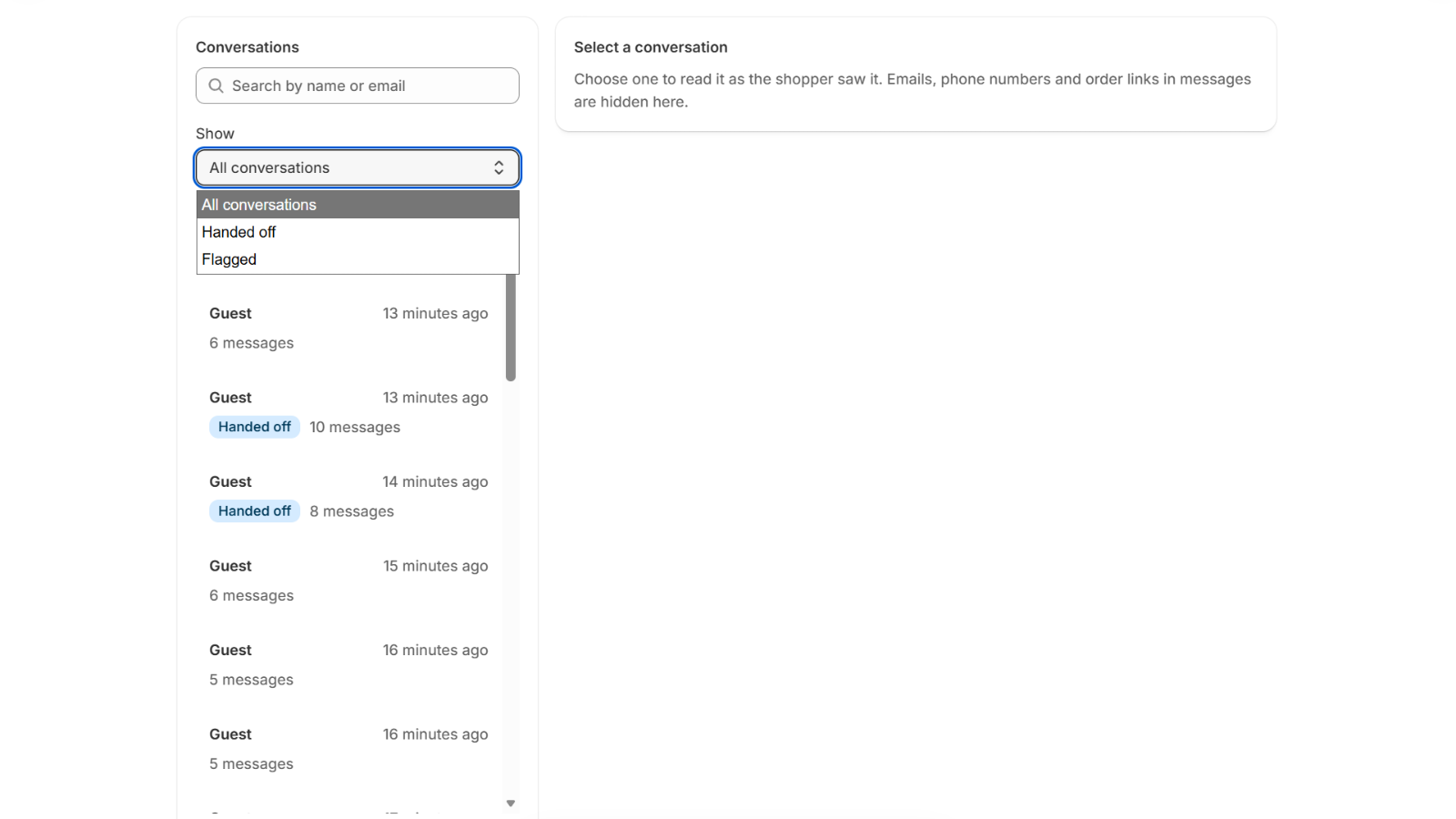
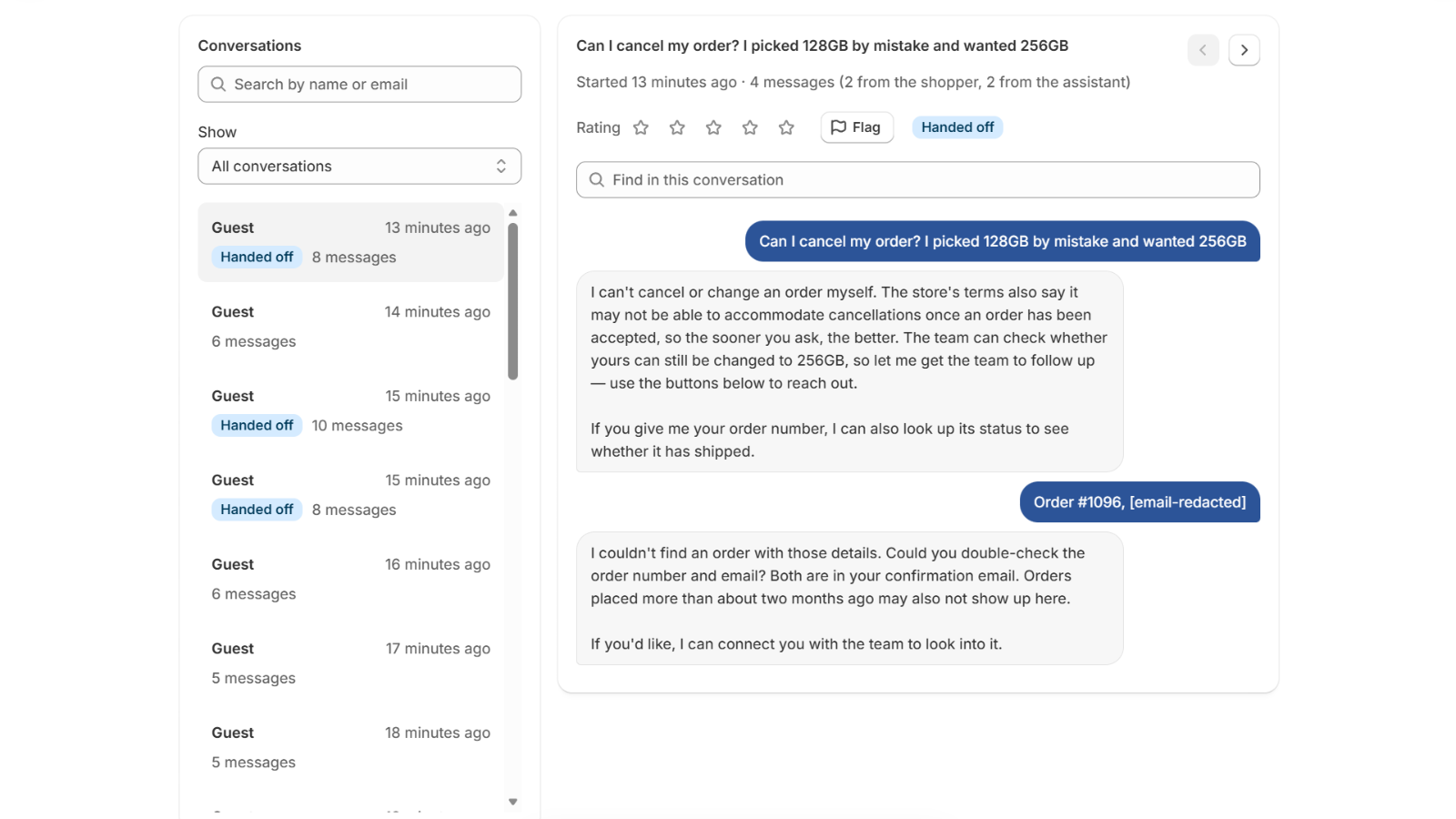
Open Conversations in PixelChat to see recent chats on your store. Each conversation shows the full exchange between the shopper and the assistant.
 (opens the full-size image)
What you'll see
- The full transcript — every message the shopper sent and every reply the assistant gave. Product cards and the lookups behind the replies aren't shown, only what the assistant said.
- Conversations that needed your team are marked Handed off, so you can follow them up.
- "Not shown to the shopper" — occasionally the assistant writes a short working note between steps. You'll see it in the transcript with this label; the shopper never did.
You can also rate a conversation from one to five stars, and Flag any you want to come back to. Use Show to list only Handed off or Flagged conversations, or search by the shopper's name or email. A signed-in shopper whose account has no name is shown by their email.
 (opens the full-size image)
How long they're kept
Conversations are deleted automatically 14 days after the last message. If you want to keep something, copy it before then. See How long data is kept.