Adding to cart
How shoppers add products to their cart without leaving the chat.
Last updated · 3 Oct 2026Shopping features
When a shopper asks to add something, the assistant adds the exact variant — size, colour and quantity — to their cart and confirms it in the chat.
The confirmation reads Added to your cart, with two links:
- View your cart opens your theme's cart drawer. On themes without one, it opens the cart page in a new tab.
- Proceed to checkout takes the shopper straight to checkout.
The same line is still there if the shopper reloads the page.
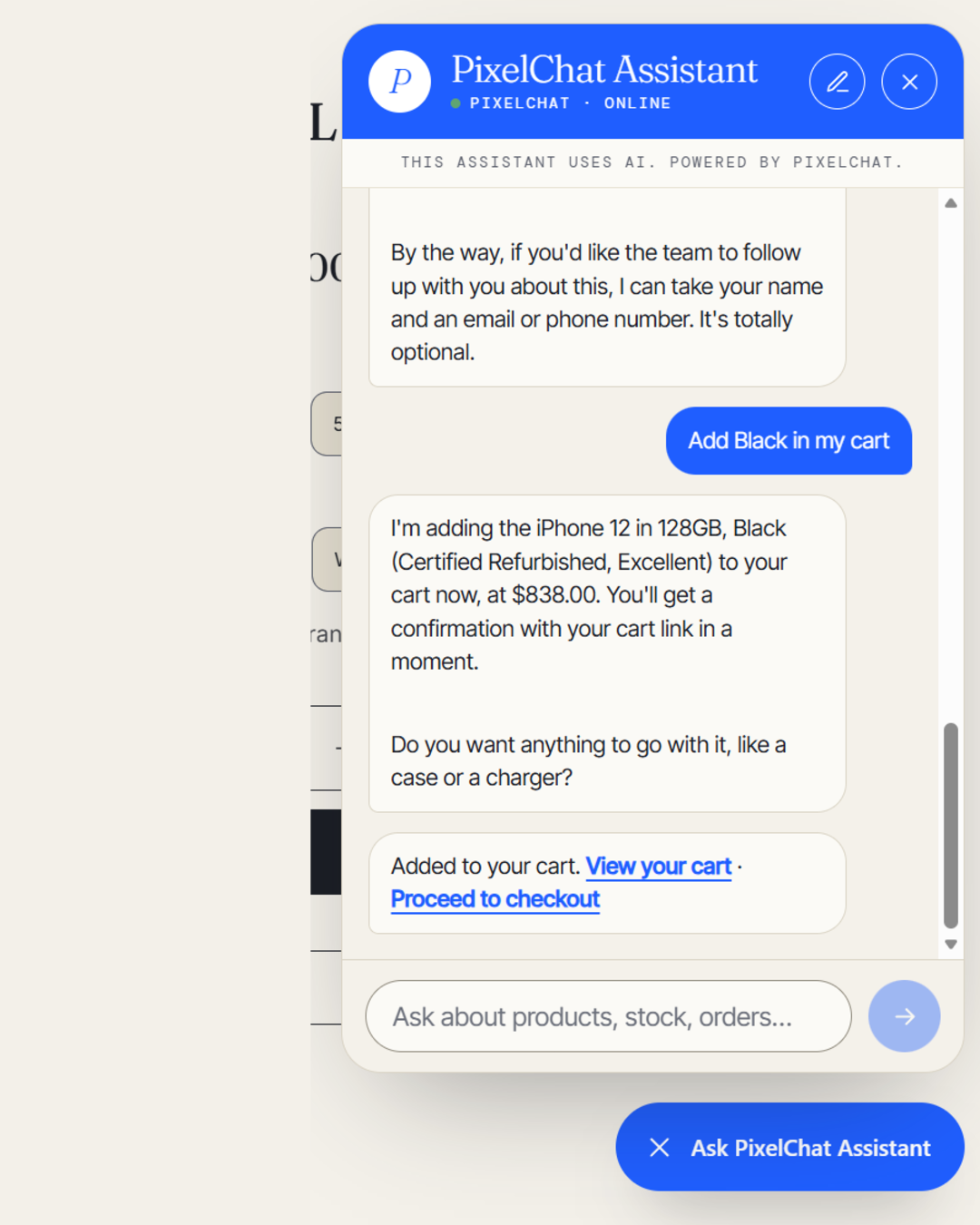 (opens the full-size image)
If a variant is sold out, the assistant says so and suggests alternatives rather than adding it.