The chat bubble isn't showing on my store
The three most common reasons the chat doesn't appear, and how to fix each.
Last updated · 24 Oct 2026Troubleshooting
1. The app embed is switched off
The setup guide on the PixelChat home page shows whether the chat is on in your published theme. If it isn't, click Open theme editor. The theme editor opens with the PixelChat embed already switched on — just click Save.
To switch it on by hand instead:
- Go to Online Store → Themes → Customize.
- Open App embeds.
- Switch on PixelChat.
- Click Save.
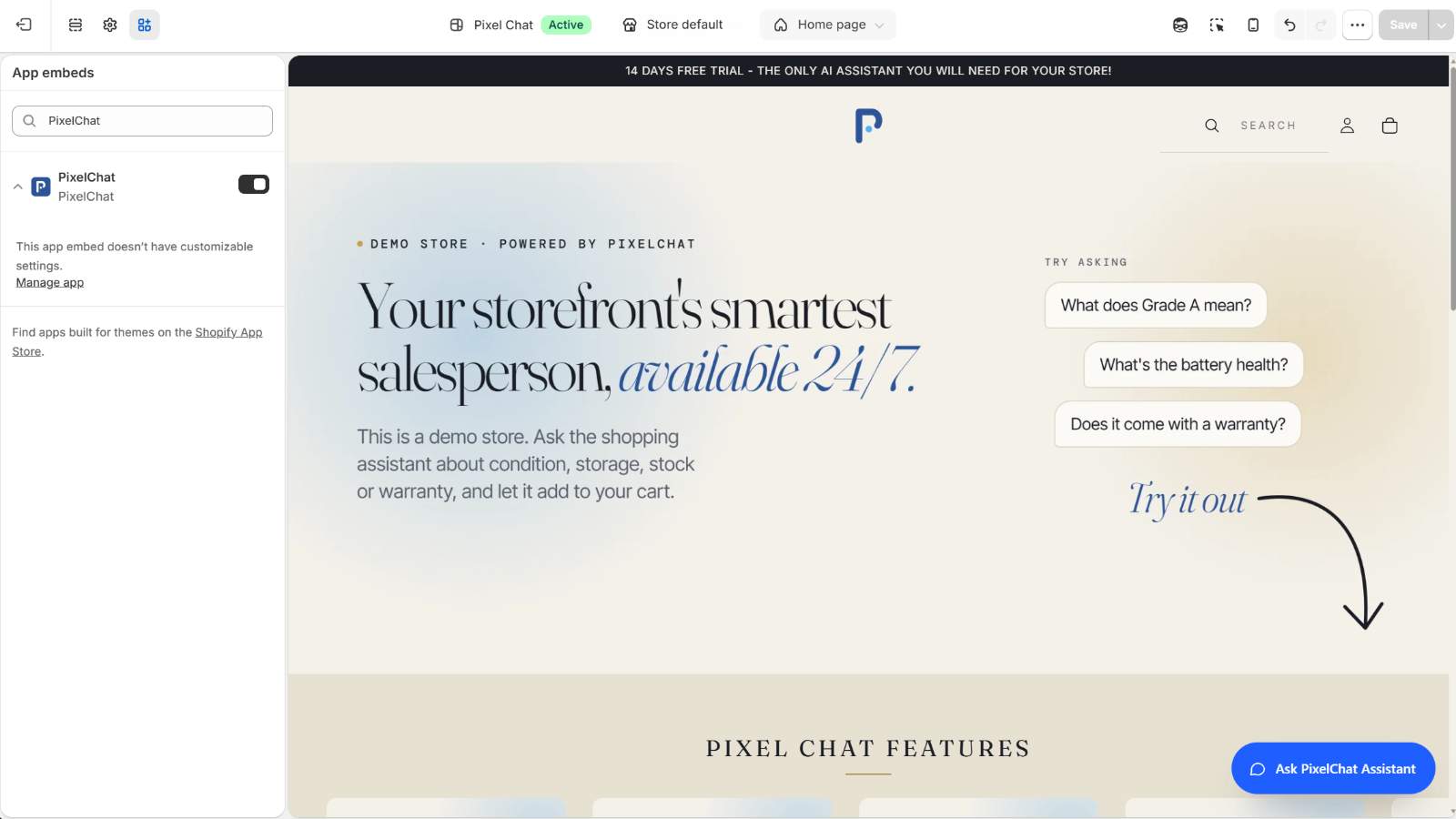 (opens the full-size image)
If you use more than one theme, the embed must be on in the published theme.
2. The setup wizard isn't finished
The chat stays hidden until the setup wizard is complete. Open PixelChat in your Shopify admin — if the wizard appears, finish it.
3. Your store is password-protected
If your online store has a password page (common on new and development stores), shoppers — and you — only see the chat after getting past it. Enter the store password, then check again. See Using PixelChat on a development store.
4. Your store has no active plan
The chat only shows while your store has an active plan, including during the free trial. If the PixelChat home page says Choose a plan to turn on the chat, choose one on the Plans page. If it says Shopify has paused your store's billing, the chat comes back once your store's Shopify bill is settled. See Plans and pricing.
Still not showing?
Clear your browser cache, try a private window, and check the page isn't a checkout page. Then email support@pixelchatapp.com with your store URL.